
Last verified: 20 October 2026. Every price, free-plan limit and platform below was checked against the vendor's own pricing page or help centre on this date. Prices are in USD per user per month unless noted.
By Kabandi Saikia, co-founder and Chief M-aa-rket-er at maarket.ai, a distribution platform for products. Picks are editorial, based on vendor documentation, not hands-on testing. No vendor paid for inclusion or placement, and this page carries no affiliate links.
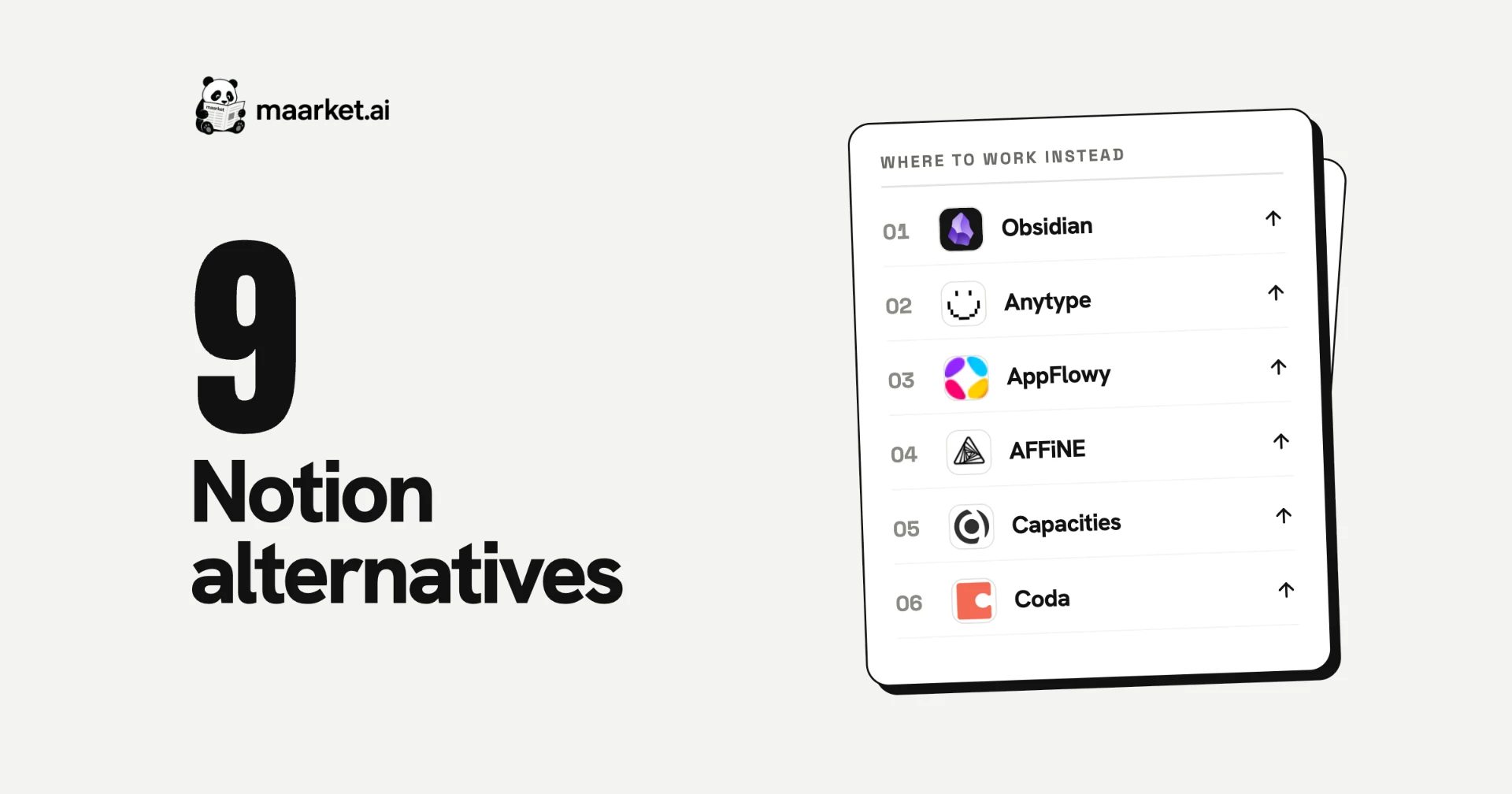
Quick answer: The best Notion alternatives in 2026 are Obsidian for free personal notes, Anytype for privacy and Confluence for team wikis (free for 10 users). The rest of the top nine: AppFlowy (open-source Notion lookalike), AFFiNE (docs plus whiteboards), Capacities (personal knowledge base), Coda (now Superhuman Docs) for docs that work like apps, ClickUp for projects plus docs, and Microsoft Loop for Microsoft 365 teams. Notion itself is free for individuals; Plus is $10 a member billed yearly, and full Notion AI starts on Business at $20.
What is Notion, and what counts as a Notion alternative?
Notion is a cloud-based workspace that combines notes, docs, team wikis, databases and project tracking in one app, with Notion AI built in on its Business plan. A Notion alternative is any app that replaces some or all of those jobs. Most people don't need a single replacement for everything: they switch because one job (private notes, a team wiki, project management or offline access) is better served elsewhere. This guide groups each alternative by the job it does best.
Top picks by use case
- Best free Notion alternative for personal notes: Obsidian
- Most private: Anytype, end-to-end encrypted by default on personal plans
- Best open-source Notion alternative: AppFlowy or AFFiNE
- Best for team wikis: Confluence, free for up to 10 users
- Best for projects and docs in one place: ClickUp
- Best for Microsoft 365 teams: Microsoft Loop
Notion competitors and apps like Notion, compared
| # | Tool | Free plan | Paid from | Works offline / local-first | Open source | Platforms | Best for |
|---|---|---|---|---|---|---|---|
| — | Notion (baseline) | Yes; 1,000-block cap once 2+ members | Plus $10/mo billed yearly, $12 monthly | Offline in desktop and mobile apps only | No | Web, Mac, Windows, iOS, Android (no Linux) | The benchmark |
| 1 | Obsidian | Yes, no limits | Sync $4/mo billed yearly, $5 monthly (per account) | Yes, local Markdown files | No (open file format) | Mac, Windows, Linux, iOS, Android | Personal notes you own |
| 2 | Anytype | Yes; 100 MB remote storage, 10 shared channels | Plus $4/mo billed yearly, $5 monthly (per account) | Yes, local-first | Source-available | Mac, Windows, Linux, iOS, Android | Privacy, encrypted notes and databases |
| 3 | AppFlowy | Yes; 1 owner, 100 MB storage | Pro $12/member/mo billed yearly, $16 monthly | Yes | Client AGPLv3 | Web, Mac, Windows, Linux, iOS, Android | Closest open-source Notion clone |
| 4 | AFFiNE | Yes; 10 GB cloud, 3 members | Pro $6.75/mo billed yearly (per account); Team $10/seat | Yes, local-first | MIT (backend partly Enterprise licence) | Web, Mac, Windows, Linux, iOS, Android | Docs plus whiteboards |
| 5 | Capacities | Yes; unlimited objects, 5 GB uploads | Pro $9.99/mo billed yearly, $11.99 monthly | Offline via cache (cloud-based) | No | Web, Mac, Windows, Linux, iOS, Android | Personal knowledge base |
| 6 | Coda / Superhuman Docs | Yes; shared docs capped at 50 objects, 1,000 rows | Pro $12/Doc Maker/mo billed yearly, $15 monthly | Browser only, latest version cached | No | Web | Docs that work like apps |
| 7 | ClickUp | Yes; 60 MB storage, unlimited members | Core $9/mo billed yearly, $12 monthly | Limited (view and create, no editing) | No | Web, Mac, Windows, iOS, Android | Projects and docs in one place |
| 8 | Confluence | Yes; up to 10 users, 2 GB | Standard about $7.15/mo at 10 users | Limited: edit pages opened while online | No | Web, iOS, Android | Team wikis and documentation |
| 9 | Microsoft Loop | Yes, with a personal Microsoft account | Included in Microsoft 365 business plans | Online only | No | Web, iOS, Android | Microsoft 365 teams |
Coda became Superhuman Docs on 8 July 2026; only Doc Makers are billed, and editors and viewers are free. Confluence's per-user price falls as team size grows. AFFiNE's AI is a separate add-on at $8.90/mo billed yearly.
How we picked: a tool made the list if it covers Notion's core job (linked pages, notes or docs, plus at least lists or databases for organising them), has a free plan, and publishes its prices. Notion users usually leave for one of four reasons: privacy and data ownership, offline and local files, price (especially for AI), or a better fit for one job, such as wikis or project management. We picked tools that win on at least one. Entries are numbered for navigation; the "best for" labels are editorial picks.
Why people leave Notion in 2026
- Full Notion AI now means Business. Notion's Free and Plus plans include only a trial of Notion AI; Notion Agent, AI Meeting Notes and Enterprise Search come with Business ($20 a member billed yearly, $24 monthly).
- The free plan gets tight for teams. Notion's free plan is unlimited for one person, but a workspace with two or more members is capped at 1,000 blocks, with 5 MB file uploads and 7 days of page history.
- Your notes live on Notion's servers. Notion is cloud-first and works offline only in its desktop and mobile apps, not the browser. Obsidian, Anytype, AppFlowy and AFFiNE keep your data on your device first.
- There's no Linux app. Notion says it doesn't make one. Five tools on this list do: Obsidian, Anytype, AppFlowy, AFFiNE and Capacities.
- The market shifted this year. Coda became Superhuman Docs on 8 July 2026, alongside Grammarly, while AppFlowy and AFFiNE, both with open-source clients, offer team plans and self-hosting.
1. Obsidian: best free alternative for personal notes
Is Obsidian free? Yes, without limits, for personal and work use. Obsidian stores your notes as plain Markdown files on your own device, so they work offline and open in any text editor. Paid extras are optional: Sync is $4 a month billed yearly ($5 monthly) for one vault and 1 GB, Sync Plus is $8 ($10) for 10 vaults and 10 GB, and Publish is $8 a site ($10 monthly). A commercial licence ($50 a user per year) is optional, and thousands of community plugins add features such as tasks and kanban boards.
Watch out: no built-in databases or real-time collaboration, so it's a weaker fit for team wikis.
Best for: individuals who want fast, private notes they fully own.
2. Anytype: most private Notion alternative
Is Anytype free? Yes. Anytype's free plan includes 100 MB of remote backup storage, 10 shared channels and unlimited private channels; your content is stored on your device and works without an internet connection. Personal plans are end-to-end encrypted ("zero-knowledge"). Paid plans add storage: Plus is $4 a month billed yearly ($5 monthly) for 1 GB, Pro $8 ($10) for 10 GB and Ultra $16 ($20) for 100 GB. Anytype for Business is €20 per editor per month, with viewers free, and you can self-host Anytype's sync network.
Watch out: the client is source-available (Any Source Available License), not OSI open source, and the Business cloud is not zero-knowledge.
Best for: people who want Notion-style pages and databases with encryption and local storage.
3. AppFlowy: best open-source Notion lookalike
Is AppFlowy free? Yes. AppFlowy looks and works most like Notion, with pages, databases and kanban boards, and its client app is open source under AGPLv3. The free Personal plan covers one workspace owner, 100 MB of storage and 7-day version history. Pro is $12 a member per month billed yearly ($16 monthly) with unlimited storage and 90-day history. It runs on web, Mac, Windows, Linux, iOS and Android, and supports AI features including local models.
Watch out: AppFlowy's current cloud and self-hosted backend is closed source under a commercial licence; only the client is AGPLv3.
Best for: teams that want a Notion-like workspace with an open-source client and a self-hosting option.
4. AFFiNE: best for docs and whiteboards together
Is AFFiNE free? Yes. AFFiNE combines docs, whiteboards and databases in one canvas, and it's local-first: your workspace lives on your device with optional cloud sync. The free cloud plan includes 10 GB of storage, up to 3 members per workspace and 7-day history. Pro is $6.75 a month billed yearly (100 GB, 10 members), Team is $10 a seat billed yearly, and self-hosting is free for up to 10 members per workspace. AFFiNE AI is a separate add-on at $8.90 a month billed yearly.
Watch out: databases support table and kanban views today; calendar and timeline views are still planned. There's no end-to-end encryption yet.
Best for: visual thinkers and small teams who brainstorm on whiteboards and write in docs.
5. Capacities: best personal knowledge base
Is Capacities free? Yes, with unlimited spaces, objects and blocks, 5 GB of media uploads and sync across devices. Capacities organises notes as typed objects (people, books, meetings, ideas) rather than pages. Pro is $9.99 a month billed yearly ($11.99 monthly) and includes a small AI budget; a larger AI add-on is $8.33 a month billed yearly. It runs on web, Mac, Windows, Linux, iOS and Android, and works offline from a local cache.
Watch out: it's for individuals only, with no team plans, and has no kanban view.
Best for: researchers, writers and students building a personal knowledge base.
6. Coda (now Superhuman Docs): best for docs that work like apps
Is Coda free? Yes, with limits. Coda, renamed Superhuman Docs in July 2026, turns docs into lightweight apps with connected tables, formulas, buttons and automations. Only Doc Makers pay; editors and viewers are free. The free plan limits shared docs to 50 objects and 1,000 table rows each. Pro is $12 per Doc Maker per month billed yearly ($15 monthly) and Business $33 ($40). Existing Coda customers keep their previous plan and pricing unless they join the Superhuman bundle.
Watch out: it's web-first, and offline use is limited to the latest version cached in your browser.
Best for: ops and product teams who build trackers and internal tools inside their docs.
7. ClickUp: best for projects and docs in one place
Is ClickUp free? Yes. ClickUp's Free Forever plan includes unlimited members and tasks, collaborative Docs, kanban boards and 60 MB of storage. Core is $9 a user per month billed yearly ($12 monthly) with unlimited storage. AI (ClickUp Brain) is a trial on Free, with pooled AI credits on paid plans.
Watch out: docs are secondary to project management, and offline mode lets you view and create tasks but not edit them.
Best for: teams that use Notion mainly for project tracking and want stronger task management.
8. Confluence: best team wiki
Is Confluence free? Yes, for up to 10 users with 2 GB of storage. Confluence is Atlassian's team wiki, with spaces, page trees, templates and databases. Standard costs about $7.15 a user per month for a 10-person team (the per-user price falls as teams grow; Atlassian's pricing calculator shows your exact figure) and includes Rovo AI search, chat and agents. It connects closely with Jira.
Watch out: no Rovo AI on the free plan, and no desktop app; it runs in the browser and on iOS and Android.
Best for: engineering and product teams documenting work alongside Jira.
9. Microsoft Loop: best for Microsoft 365 teams
Is Microsoft Loop free? Yes, on the web, iOS and Android with a personal Microsoft account. Microsoft Loop organises pages into shared workspaces, and Loop components stay in sync across Teams, Outlook and other Microsoft apps for work accounts. Full workspaces for organisations come with Microsoft 365 Business Standard, Business Premium and E3/E5 plans. Copilot in Loop needs a Microsoft 365 Copilot licence.
Watch out: no Mac or Windows app, Copilot isn't available for personal accounts, and Loop components don't work in Teams or Outlook on personal accounts.
Best for: companies already paying for Microsoft 365.
Also considered
- Slite: a clean AI-powered team knowledge base at $10 a user per month billed yearly, but there's no free plan, only a 14-day trial.
- Craft: a polished docs app with built-in AI, left out because its free plan caps you at 1,500 blocks and it has no Linux app.
- Logseq: open source (AGPL-3.0) with Linux, Mac, Windows and mobile apps, and graphs you can keep local. Left out of the top nine because its new database version is still in beta, and Logseq's own README warns that data loss is possible.
Notion vs the top alternatives
- Obsidian vs Notion: Obsidian is free and stores notes as local Markdown files; Notion is cloud-based with databases and real-time collaboration. Pick Obsidian for private personal notes and Notion for team workspaces.
- Notion vs ClickUp: ClickUp is stronger for task and project management, with a free plan for unlimited members; Notion is stronger for docs and wikis.
- Notion vs Confluence: Confluence is built for structured team documentation and integrates with Jira; Notion is more flexible for mixed notes, docs and databases. Confluence is free for 10 users.
- Notion vs Anytype: Anytype keeps your data on your device with end-to-end encryption and has a Linux app; Notion is cloud-based with stronger real-time collaboration and integrations.
- Notion vs AppFlowy: AppFlowy copies Notion's pages-and-databases model with an open-source client and self-hosting; Notion is more mature, with a larger template and integration ecosystem.
- Notion vs Coda: Coda (Superhuman Docs) is better at docs that behave like apps, with formulas and buttons, and only bills Doc Makers; Notion is easier for wikis and notes.
Key terms in this guide
- Local-first: your data is stored on your own device first and syncs to the cloud optionally, so the app works without an internet connection (Obsidian, Anytype, AppFlowy, AFFiNE).
- Open source vs source-available: open-source software is published under a licence that lets anyone use, modify and share it (AppFlowy's client is AGPLv3; AFFiNE is mostly MIT). Source-available code can be read but carries more restrictions (Anytype).
- End-to-end encryption (E2EE): your content is encrypted on your device, so the provider can't read it (Anytype personal plans, Obsidian Sync).
- Self-hosting: running the app's server on your own infrastructure instead of the vendor's cloud (AppFlowy, AFFiNE, Anytype's sync network).
- Blocks: Notion's unit of content (a paragraph, image or to-do is one block); its free plan caps teams of two or more at 1,000.
- Doc Maker: in Coda (Superhuman Docs), the person who creates docs; only Doc Makers are billed.
How to choose a Notion alternative
- Name the reason you're leaving. Privacy → Anytype or Obsidian. Price → Obsidian, AFFiNE or Confluence's free plan. Offline and Linux → Obsidian, Anytype, AppFlowy or AFFiNE. Projects → ClickUp. Wikis → Confluence.
- Decide whether you need a team. Capacities and Obsidian are built for individuals; Confluence, ClickUp, Coda and Loop are built for teams; Anytype, AppFlowy and AFFiNE cover both.
- Check how it handles your data. Local-first tools keep a copy on your device; cloud tools keep it on their servers. If encryption matters, Anytype encrypts personal plans end-to-end by default, and Obsidian Sync is end-to-end encrypted too.
- Test an import before you commit. Export your Notion workspace from its settings as Markdown & CSV or HTML, then import a handful of pages, including one database, into the new tool. Check the new tool's help docs for a dedicated Notion importer, and confirm that tables, toggles and links survive the move.
FAQ
What are the best Notion competitors and apps like Notion?
The closest apps like Notion are AppFlowy and Anytype, which copy its pages-and-databases model. Notion's main competitors by use case are Obsidian (personal notes), Confluence (team wikis), ClickUp (projects), Coda, now Superhuman Docs (docs as apps), and Microsoft Loop (Microsoft 365).
What is the best Notion alternative?
It depends on why you're leaving. Obsidian is the best free alternative for personal notes, Anytype the most private, AppFlowy the closest open-source Notion clone, Confluence the best team wiki (free for 10 users) and ClickUp the best for projects and docs together.
What is the best free Notion alternative?
Obsidian for personal notes: it's free without limits and stores notes as local files. For teams, Confluence is free for up to 10 users, ClickUp's free plan covers unlimited members, and AFFiNE's free cloud plan includes 10 GB and 3 members per workspace.
Is there an open-source Notion alternative?
Yes. AppFlowy's client app is open source under AGPLv3, and AFFiNE is MIT-licensed with some backend parts under an Enterprise licence. Logseq is open source under AGPL-3.0, though its new database version is still in beta. Anytype is source-available rather than OSI open source. AppFlowy, AFFiNE and Anytype can all be self-hosted.
Is Notion free?
Yes, for individuals: Notion's free plan has unlimited blocks for one member. A workspace with two or more members is capped at 1,000 blocks, file uploads are limited to 5 MB, and page history lasts 7 days. Notion AI is a trial on the free plan.
How much does Notion cost?
Notion Plus is $10 a member per month billed yearly or $12 monthly. Business is $20 billed yearly or $24 monthly and includes Notion AI features such as Notion Agent and AI Meeting Notes. Enterprise is custom-priced.
Obsidian vs Notion: which is better?
Obsidian is better for private personal notes: it's free, works offline and stores notes as Markdown files on your device. Notion is better for teams that need shared databases, real-time collaboration and wikis.
Notion vs ClickUp: which is better?
ClickUp is better for project and task management, with a free plan for unlimited members and Core at $9 a user billed yearly. Notion is better for docs, wikis and flexible databases.
What is the best Notion alternative for teams?
Confluence for documentation-heavy teams (free for 10 users), ClickUp for project-heavy teams, Coda (Superhuman Docs) for teams building docs that work like apps, and Microsoft Loop for companies on Microsoft 365.
What is the best Notion alternative with AI?
Confluence Standard includes Rovo AI search, chat and agents; ClickUp's paid plans include pooled ClickUp Brain AI credits; Capacities Pro includes a small AI budget; AppFlowy offers AI features including local models; and AFFiNE sells AI as an $8.90-a-month add-on billed yearly. Notion's full AI features need its Business plan ($20 a member billed yearly).
Which Notion alternative works offline?
Obsidian, Anytype, AppFlowy and AFFiNE are local-first: your data lives on your device and works without an internet connection. Capacities works offline from a cache, while Notion works offline only in its desktop and mobile apps.
Is there a Notion alternative for Linux?
Yes. Obsidian, Anytype, AppFlowy, AFFiNE and Capacities all have Linux apps. Notion doesn't make a Linux app.
Update log: first published 20 October 2026; AEO pass the same day added a definition of Notion alternatives, a key-terms glossary and clearer import steps. Next scheduled review: January 2027.
Compare Notion alternatives and other AI workspaces, and see which ones other founders use, on maarket.ai. Using one of these tools? Mark "I use this" and help other founders choose.