
Last verified: November 25, 2026. Every price was checked on the vendor's own site and links to it.
GTA 6 launched on November 19, 2026, and plenty of people finished their first session thinking, "I want to build something like this." You can't use the engine Rockstar Games built it on, but you can use the same kinds of tools the industry runs on. This list covers the 10 game development tools worth your time in 2026: engines, 3D and 2D art tools, and the version control that holds a project together.
Browse developer tools on Maarket →
Quick Answer
The best game development tools in 2026 are Unreal Engine (high-end 3D and open worlds), Unity (cross-platform and mobile), and Godot (free, open source, no royalties). Pair an engine with Blender for 3D art, Adobe Substance 3D for textures, Aseprite for pixel art, and Perforce P4 for version control. Roblox Studio and GameMaker are the fastest routes to a shipped game. Five of the 10 tools now have vendor-published MCP servers, so AI agents like Claude Code can work inside them directly.
Game development tools compared
Swipe sideways to see all columns →
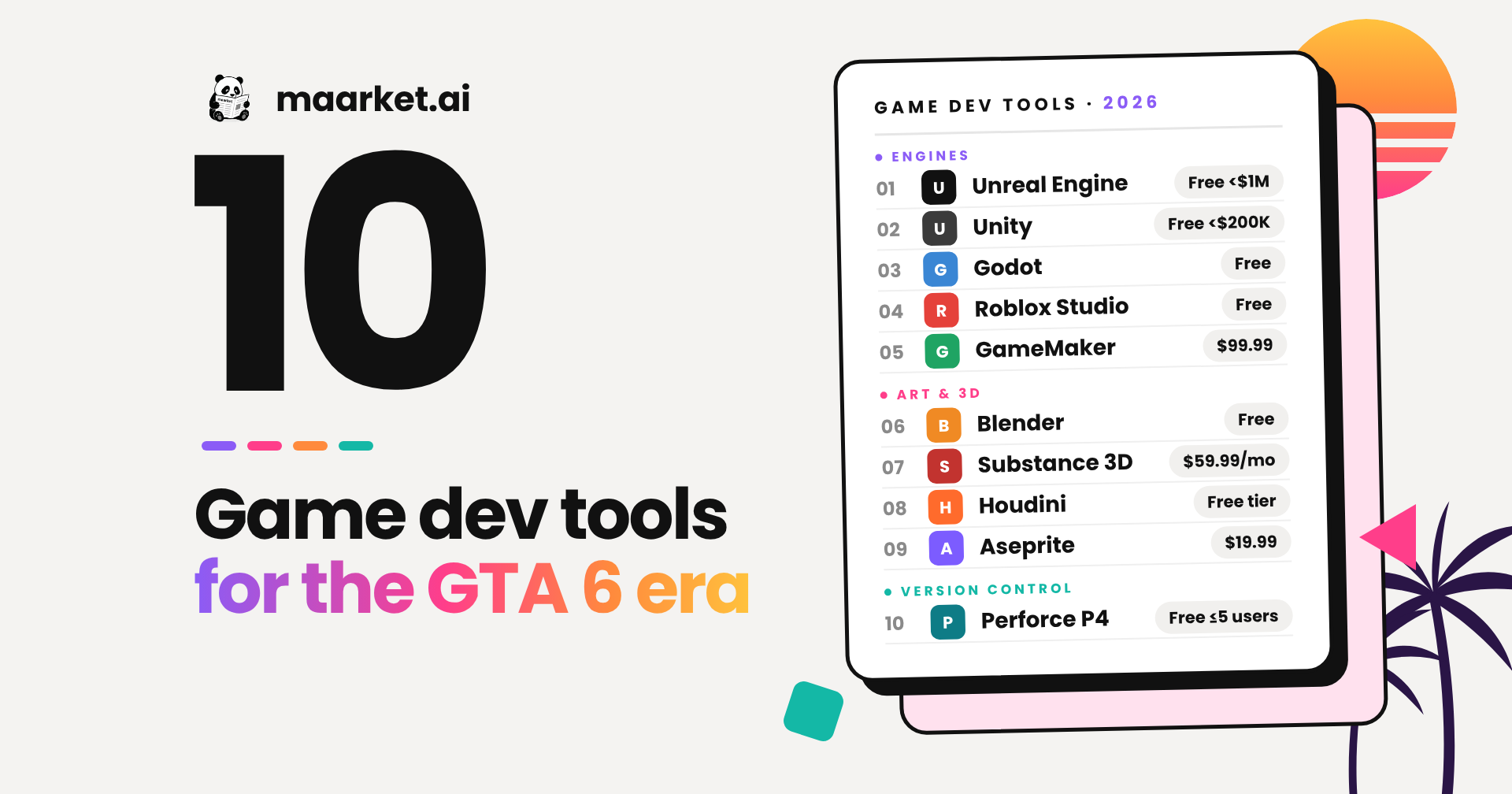
# | Tool | Category | Pricing (verified Nov 2026\) | Best for | Agent-ready / MCP |
|---|---|---|---|---|---|
1 | Unreal Engine | 3D game engine | Free under $1M revenue; 5% royalty on game revenue above $1M | AAA-style 3D, open worlds, photoreal visuals | Official, experimental |
2 | Unity | Cross-platform engine | Personal free up to $200K revenue and funding; Pro $2,310/seat/year | Mobile, cross-platform and mid-size games | Official, open beta |
3 | Godot | Open-source engine | Free, MIT license, no royalties | Indie 2D and 3D, full source control | Community |
4 | Blender | 3D creation suite | Free, GPL license, commercial use allowed | Modeling, rigging, animation for game assets | Official, experimental (Blender Lab) |
5 | Roblox Studio | Platform engine | Free; creators keep 70% of in-experience Robux sales | Multiplayer games with a built-in audience | Official, built into Studio |
6 | GameMaker | 2D game engine | Free (non-commercial); Professional $99.99 one-time | 2D indie games, first commercial release | Community |
7 | Adobe Substance 3D | Texturing and materials | Collection $59.99/month; Texturing $24.99/month | PBR textures and materials for 3D games | Community |
8 | Houdini | Procedural 3D and VFX | Apprentice free; Indie for creators under $100K/year | Procedural cities, terrain, destruction, VFX | Community |
9 | Aseprite | Pixel art and sprites | $19.99 one-time | Pixel art, sprite animation, sprite sheets | Community |
10 | Perforce P4 | Version control | Free for up to 5 users and 20 workspaces | Teams with large binary assets | Official, community-supported |
"Official" means the vendor itself publishes the MCP server. "Experimental", "open beta" and "community-supported" are the vendors' own labels for maturity or support level. "Community" means independent open-source servers exist, but the vendor doesn't publish one.
Why this list matters
Most "best game development tools" roundups list engines only and skip the art and version control tools that make up most of a real production. We built this list from scratch, checked every price on the vendor's own pricing page on November 25, 2026, and cut anything we couldn't verify. It also tracks something most roundups skip: agent-readiness, meaning whether an AI agent can operate the tool through the Model Context Protocol (MCP).
Game development tools at a glance
| Stat | Value |
|---|---|
| Tools on the list | 10 (from 16 shortlisted) |
| Game engines | 5 (Unreal Engine, Unity, Godot, Roblox Studio, GameMaker) |
| Art and content tools | 4 (Blender, Substance 3D, Houdini, Aseprite) |
| Version control | 1 (Perforce P4, with Git LFS as the free alternative) |
| Completely free, any revenue | 3 (Godot, Blender, Roblox Studio) |
| Free tier or free under a revenue cap | 5 (Unreal Engine, Unity, GameMaker, Houdini, Perforce P4) |
| Paid only (trial or one-time purchase) | 2 (Substance 3D, Aseprite) |
| Vendor-published MCP server | 5 of 10 |
The spread is friendlier than most people expect: a solo developer can build a complete pipeline (Godot, Blender, Perforce P4's free tier) for $0. Paid tools start to matter at the art stage, and agent support is real but still early, with most official MCP servers labelled experimental, beta or community-supported.
The 10 best game development tools, ranked
The order is editorial. Engines come first because every other tool feeds into one, then art tools, then version control. Within each group, we put the most widely applicable tool higher.
1. Unreal Engine
What it is: Epic Games' real-time 3D engine, built for high-fidelity games, open worlds and cinematic visuals. Pricing: Free for individuals and small businesses under $1M in annual gross revenue. Games pay a 5% royalty on lifetime gross revenue above $1M, and sales through the Epic Games Store are royalty-free. Non-game commercial use above $1M runs $1,850 per seat per year. Standout: Unreal MCP ships inside the editor as an experimental plugin, letting Claude Code, Codex, Cursor, Gemini CLI and VS Code Copilot act on a live project. Best for: Teams aiming for AAA-style 3D. If your reference point is GTA 6, start here.
2. Unity
What it is: A cross-platform engine for 2D and 3D games, widely used for mobile, console and PC. Pricing: Unity Personal is free for teams with up to $200,000 in revenue and funding. Unity Pro costs $2,310 per seat per year prepaid, or $210 per seat per month, after a 5% increase that took effect January 12, 2026. Enterprise is custom-priced and required above $25M in annual revenue. Standout: Unity's official MCP server, released in open beta in May 2026, connects agents to scenes, GameObjects, build settings and console logs. It's included in Pro, Enterprise and Industry, and Personal users can access it on a free trial. Best for: Mobile and cross-platform games, and C# developers who want a mature engine with a large asset ecosystem.
3. Godot
What it is: A free, open-source 2D and 3D engine. The current stable release is 4.7.2. Pricing: Free under the MIT license. No royalties, no revenue caps, and you own your game outright. Standout: Scripting in GDScript (an indentation-based language similar to Python), C#, or C++ through GDExtension. Best for: Indie developers and studios that want zero licensing risk and the option to modify the engine source.
4. Blender
What it is: A free 3D creation suite covering modeling, rigging, animation, simulation, rendering, compositing and motion tracking. Pricing: Free under the GNU GPL, including for commercial work. Standout: Blender Lab, the Blender Foundation's experimental space, publishes an MCP server that lets an AI client explore scenes and work with Blender's Python API. It requires Blender 5.1 or newer, and as a Lab project it should be treated as experimental. Best for: Creating characters, props and environments for any engine on this list, at zero software cost.
5. Roblox Studio
What it is: Roblox's free creation tool for building and publishing multiplayer experiences on the Roblox platform. Pricing: Free, with instant publishing and no hosting charges. Creators generally keep 70% of Robux from sales in their own experiences, and creators 13 or older can cash out through DevEx once they hold 30,000 earned Robux (Roblox's example rate: 10,000 Robux = $38). Standout: An MCP server built directly into Studio. Turn it on under Assistant, then Manage MCP Servers. Best for: First-time developers and small teams who want an audience on day one instead of fighting for store visibility.
6. GameMaker
What it is: A 2D-focused engine with its own scripting language (GML) and visual tools. Pricing: Free forever for non-commercial use, with desktop, web and mobile exports. Professional is a one-time $99.99 and adds a commercial license. Enterprise is a subscription that adds console exports and source access (price not listed publicly). Standout: No watermark or splash screen on any tier, including free. Best for: Solo developers making 2D games who want a low, one-time cost to sell commercially.
7. Adobe Substance 3D
What it is: Adobe's texturing and material suite: Painter, Designer, Sampler, Stager, Modeler and a 3D asset library. Pricing: Substance 3D Collection costs $59.99/month for individuals and $119.99/month per license for teams. The Texturing plan (Painter, Designer, Sampler and Assets) is $24.99/month. A 30-day free trial is available, and prices vary by region. Standout: Substance 3D Painter paints directly onto 3D models in real time, uses smart masks and materials to add wear and dirt, and exports to any game engine through custom presets. Best for: 3D artists who need production-grade textures without hand-painting every surface.
8. Houdini
What it is: SideFX's procedural 3D and VFX software, used to generate terrain, cities, destruction and simulations from rules instead of hand placement. Pricing: Houdini Apprentice is free for non-commercial learning. Houdini Indie is a limited commercial license for creators earning under $100K a year, capped at 3 licenses per studio. SideFX shows Indie pricing at checkout rather than on the buy page. Standout: Houdini Engine loads Houdini Digital Assets directly into Unreal and Unity, so procedural tools built once can generate content inside your engine. Best for: Technical artists building large open worlds, the kind of procedural workflow that makes GTA-scale maps possible.
9. Aseprite
What it is: An animated sprite editor and pixel art tool. Pricing: $19.99 one-time, for Windows, macOS and Linux. The source code is public on GitHub. Standout: Exports sprite sheets with JSON data and texture atlases, plus a command-line interface for automated asset pipelines. Best for: Pixel art games and 2D artists who want a dedicated sprite tool instead of a general image editor.
10. Perforce P4
What it is: Version control built for large binary files such as textures, models and levels. Perforce says P4 is used by 19 of the top 20 AAA game studios. Pricing: Free for up to 5 users and 20 workspaces. Paid plans are quoted by sales. Standout: Perforce publishes the P4 MCP Server on its own GitHub (open source, MIT) as a community-supported release. It lets AI assistants read and act on changelists, shelves and code reviews while respecting existing permissions. Best for: Teams past one person with large binary assets. If your team already lives in Git, Git LFS is the free, open-source alternative: it swaps large files for text pointers in Git and stores the contents on a remote server.
What types of game development tools should you consider?
| Category | Representative tools |
|---|---|
| High-end 3D engines | Unreal Engine |
| Cross-platform engines | Unity |
| Open-source engines | Godot |
| Platform engines with a built-in audience | Roblox Studio |
| 2D engines | GameMaker, Godot |
| 3D modeling and animation | Blender |
| Texturing and materials | Adobe Substance 3D |
| Procedural content and VFX | Houdini |
| Pixel art and sprites | Aseprite |
| Version control for large assets | Perforce P4, Git LFS |
How to choose the right game development tools
Pick the engine first, then fill the art and version control gaps around it.
* Building a large 3D or open-world game: Unreal Engine, plus Houdini for procedural environments and Substance 3D for textures. * Shipping on mobile or many platforms: Unity, plus Blender for 3D assets. * Zero budget or zero licensing risk: Godot, Blender and the free tier of Perforce P4. Total software cost: $0. * First game, want players fast: Roblox Studio. Your game launches into an existing audience. * 2D or pixel art game: GameMaker or Godot, plus Aseprite for sprites. * Coming from graphic design: Aseprite for 2D, or Substance 3D Painter for 3D. Both reward existing color and composition skills. * Need adaptive music and sound: look at dedicated audio middleware such as FMOD or Wwise, which this list doesn't rank. * Working with AI agents: prefer tools with vendor-published MCP servers (Unreal, Unity, Roblox Studio, Blender, Perforce P4), and check each one's maturity label. Community servers work, but you're trusting a third party with editor access.
One honest note on GTA 6: Rockstar Games built it on RAGE (Rockstar Advanced Game Engine), a proprietary in-house engine that isn't licensed to anyone else. A solo developer won't match a game made by one of the industry's largest studios, but the tools above cover the same disciplines at small-team scale.
Why agent-readiness matters for game development tools
An MCP server lets an AI agent work inside a tool instead of guessing from pasted code. In an engine, that means the agent can read the scene hierarchy, change component values, run the project and read the console errors itself. For a small team, that turns hours of editor busywork (wiring up objects, renaming assets, chasing null references) into a prompt and a review.
The trade-off is maturity. Most official servers on this list are labelled experimental, beta or community-supported, and APIs can change between releases. A tool that's agent-ready today may break a workflow after an update, and a tool without an official server may get one next quarter. That's why a ranking captured once goes stale quickly, and why Maarket ranks tools on ongoing signals (real usage, reviews, and markers like MCP support and agent-readiness) rather than a single launch-day snapshot.
In practice, don't pick a tool on agent support alone. Choose the engine that fits your game, then let MCP support break ties between otherwise similar options. Keep a human in the loop for anything an agent changes in a shared project.
How we built this list
We started from a shortlist of 16 game development tools, gathered from vendor sites, developer documentation, and current 2026 roundups and community discussions. For each tool, we confirmed on the vendor's own site that it's live and maintained, what it does, and its current pricing. MCP status came from vendor documentation or the vendor's own GitHub; independent servers are labelled "Community". We cut tools that overlapped heavily with a stronger pick (Construct 3, GDevelop, Defold, Autodesk Maya) or weren't game-specific (general-purpose IDEs). Where a vendor didn't publish a price, we said so rather than quoting third-party figures. The order is editorial, and no vendor paid for placement.
Last reviewed: November 25, 2026
Frequently asked questions
What game engine does GTA 6 use?
GTA 6 runs on RAGE (Rockstar Advanced Game Engine), Rockstar Games' proprietary engine, which has powered GTA titles since GTA IV and both Red Dead Redemption games. RAGE isn't available to outside developers. The closest publicly available option for large open-world 3D games is Unreal Engine, which is free until a game earns $1M.
What is the best free game development tool?
Godot is the best fully free game engine: it's MIT-licensed with no royalties or revenue caps. Blender is the best free 3D art tool, and Perforce P4 is free for teams of up to 5 users. Together they form a complete $0 setup. Unreal Engine and Unity Personal are also free, but only below revenue thresholds ($1M and $200K respectively).
Which game development tool is best for beginners?
For beginners who want to learn real engine skills, Godot is the most common recommendation because it's free and uses GDScript, which has Python-like syntax. For beginners who want players quickly, Roblox Studio is free and publishes straight to Roblox's existing audience. For 2D-only projects, GameMaker is the simplest path to a commercial release at $99.99 one-time.
Is Unreal Engine free to use?
Yes, for most developers. Unreal Engine is free for individuals and small businesses under $1M in annual gross revenue. After a game earns $1M, Epic charges a 5% royalty on lifetime gross revenue above that amount, and sales through the Epic Games Store are royalty-free. Non-game commercial users above $1M pay $1,850 per seat per year.
Can AI agents build games using MCP?
Partly. Unreal Engine, Unity, Roblox Studio, Blender and Perforce P4 all have vendor-published MCP servers that let AI agents such as Claude Code, Cursor or Codex inspect projects, edit scenes, run scripts and read errors. Most are still labelled experimental, beta or community-supported, so treat agents as assistants that speed up editor work, not replacements for design and art direction.
Which game development tools will you build with next?
Maarket ranks developer tools on continuous signals (real usage, reviews, and agent-readiness markers like MCP support) instead of a one-day launch spike, so the rankings keep moving as tools ship.
Browse developer tools on Maarket →
Building a game development tool yourself? List your product on Maarket →