
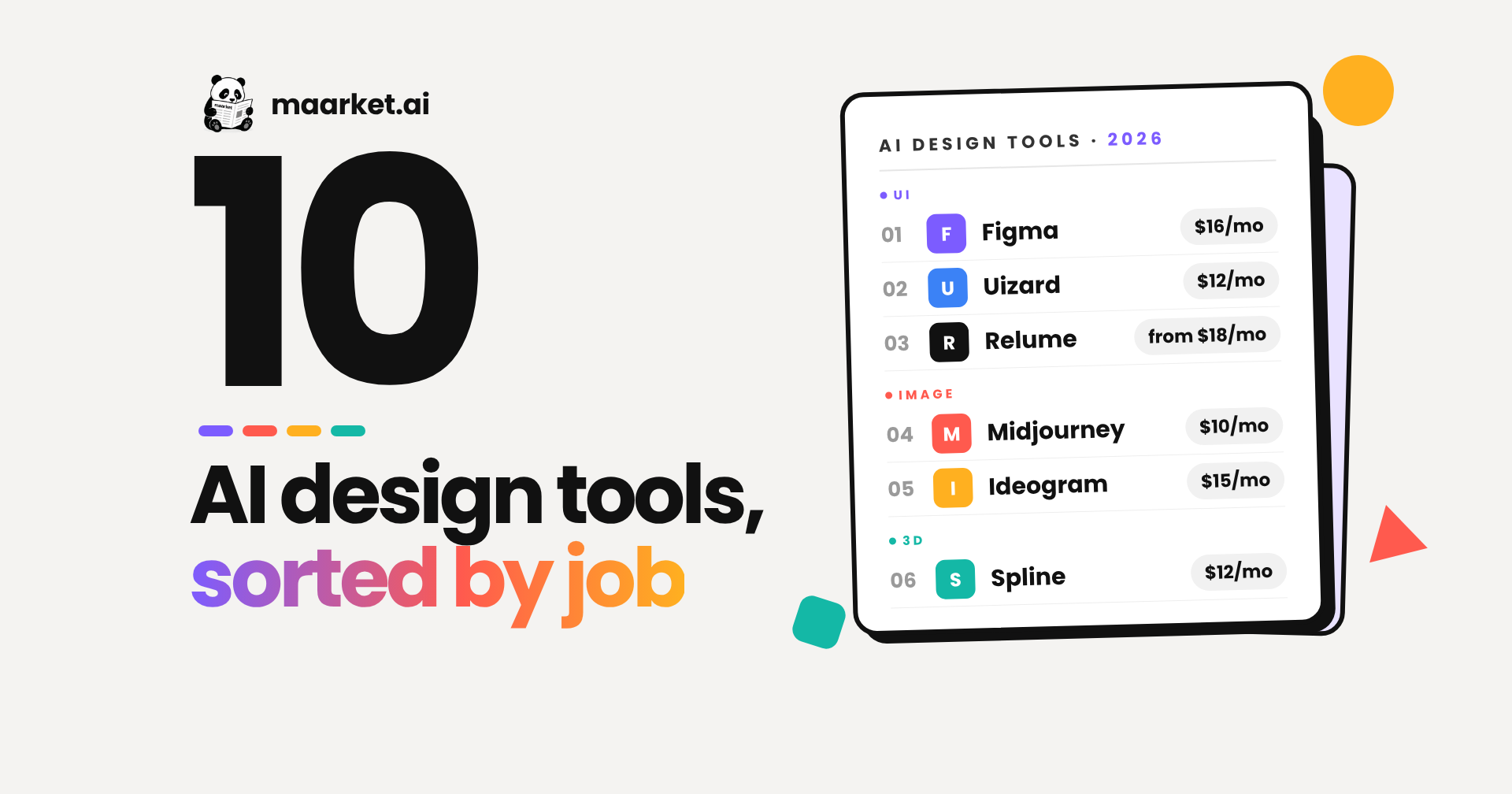
Most "best AI design tools" lists rank a UI generator, an image model and a 3D editor against each other, as if they compete. They don't. This guide splits AI design software into three jobs (UI and product design, image and graphics, 3D and motion), checks every price against the vendor's own page, and says which part of your current workflow each tool replaces. It's written for product teams: PMs, designers and founders choosing a stack, not a single winner.
Browse AI design and creative tools on Maarket →
Quick Answer
The best AI design tools in 2026, by job: Figma for UI and product design, with Uizard and Relume for fast first drafts and Mobbin for UI references. Midjourney, Ideogram, Recraft, Adobe Firefly and Canva for images and graphics. Spline for 3D on the web. Seven of the ten run an official MCP server.
AI design tools at a glance
| Stat | Value |
|---|---|
| Tools reviewed | 10 |
| Job groups | UI and product design (4), image and graphics (5), 3D and motion (1) |
| Free plan available | 9 of 10 (Midjourney has none) |
| Official MCP server | 7 of 10 (plus 1 partial) |
| Cheapest entry-level paid plan | $9.99/month (Adobe Firefly Standard) |
| Most expensive entry-level paid plan | $18/month (Relume Site Builder Starter) |
| Prices verified on vendor pages | 10 of 10 |
The spread is narrow at the entry level: every paid starting plan sits between roughly $10 and $18 a month. The real cost differences show up in seats (Figma, Canva Business) and in credits or GPU time (Midjourney, Ideogram, Recraft, Firefly), so team size and output volume matter more than the headline price.
AI design tools compared
This list is grouped by job, not ranked. Numbers are for navigation only.
Swipe sideways to see all columns →
No. | Tool | Job | Starting paid price (verified 18 Nov 2026) | Best for | Agent-ready / MCP | What it replaces |
|---|---|---|---|---|---|---|
1 | Figma | UI and product design | $16 per Full seat/mo, billed annually | Product teams with a design system | Yes: official remote MCP server | Separate prototyping tool and hand-written handoff specs |
2 | Uizard | AI UI generator | $12/mo, billed annually (Pro) | PMs and founders mocking up concepts | No public API or MCP | Whiteboard sketches and slide-deck wireframes |
3 | Relume | AI sitemaps and wireframes | From $18/mo (Site Builder Starter) | Marketing-site teams and Webflow agencies | Yes: Relume Library MCP (paid plans) | Hand-built sitemaps and lo-fi wireframes |
4 | Mobbin | UI reference library | $10/mo, billed yearly | Benchmarking real app flows | Yes: MCP on Pro and above | Screenshot folders and Pinterest boards |
5 | Canva | AI graphic design | $144/yr for one person (Pro) | GTM teams shipping on-brand collateral | Yes: official remote MCP server | Designer tickets for social posts and one-pagers |
6 | Midjourney | Image generation | $10/mo (Basic) | Moodboards and campaign concept art | No official MCP | Stock photo hunts and early moodboard rounds |
7 | Ideogram | Image generation with text | $15/mo, billed annually (Plus) | Posters, ads and social graphics with type | Yes: official remote MCP server | Fixing AI-mangled text in Photoshop |
8 | Recraft | Raster and vector image generation | $12/mo, or $10/mo billed annually (Basic) | Icon sets, illustrations, brand assets | Yes: official hosted MCP server | Icon packs and manual vector tracing |
9 | Adobe Firefly | Multi-model image and video generation | $9.99/mo (Standard) | Teams already inside Adobe | Partial: Adobe's Claude connector covers Creative Cloud tools | Separate subscriptions to several image models |
10 | Spline | 3D and motion for the web | $12 per seat/mo, billed annually (Hobby) | Interactive 3D hero sections and product visuals | Yes: MCP on every plan | Blender or Cinema 4D plus a web export pipeline |
"Agent-ready / MCP" means the vendor runs an official Model Context Protocol server that AI assistants such as Claude, ChatGPT or Cursor can connect to. Community-built wrappers are not counted.
Why this list matters
Product teams rarely need "an AI design tool." They need one tool for screens, one for images and maybe one for 3D, and the wrong pick usually means paying for overlap. Every entry here was checked live on 18 November 2026, prices come from each vendor's own pricing page or docs, and MCP support was confirmed in vendor documentation rather than third-party directories. Each entry links to the exact pricing and MCP pages used, so you can check the numbers yourself.
AI UI generators and product design tools
1. Figma
What it is: Figma is the collaborative interface design platform most product teams already use. Its AI layer includes Figma Make, which turns a prompt into an interactive prototype, and a Full seat bundles Figma Design, Make, Dev Mode, FigJam, Slides and other Figma products.
Pricing: Starter is free and includes up to 500 AI credits a month. On Professional, a Full seat costs $16/month billed annually and includes 3,000 AI credits a month; Dev seats cost $12 and Collab seats $3. Organization ($55 per Full seat) and Enterprise ($90 per Full seat) are billed annually only.
Standout: Figma's official remote MCP server (mcp.figma.com/mcp) gives coding agents structured design context from a frame instead of a flat screenshot, and with edit access it can also write back to the file.
Best for: Product teams whose design system and components already live in Figma.
What it replaces: A separate prototyping tool and hand-written redlines for developer handoff.
Sources: Figma pricing · Figma pricing FAQ · Figma MCP server guide
2. Uizard
What it is: Uizard is an AI UI generator, part of Miro since 2024. Its Autodesigner 2.0 engine turns a text prompt into multi-screen app or web mockups, and its scanners convert screenshots and hand-drawn wireframes into editable designs.
Pricing: Free includes 3 AI generations a month and up to 2 projects. Pro costs $12/month billed annually, with 500 AI generations and up to 100 projects. Business costs $39/month billed annually, with 5,000 generations and unlimited projects. Enterprise is custom, with unlimited generations.
Standout: Turning a competitor screenshot or a whiteboard photo into editable screens in one step.
Best for: PMs and founders who need clickable concepts before a designer is involved.
What it replaces: Whiteboard sketches and wireframes built in slide decks.
Sources: Uizard pricing
3. Relume
What it is: Relume is an AI site builder that generates a sitemap and wireframes from a short brief, assembled from a library of 1,000+ human-designed components that export to Figma, Webflow and React.
Pricing: Relume has a free-forever plan with no card needed. For export-focused work, Site Builder Starter starts at $18/month, Pro at $40/month and Team at $36/month with a three-user minimum. If you want Relume to build and host the site too, the Pro AI workspace starts at $24/month and Launch hosting costs $12 per site per month billed yearly.
Standout: The Relume Library MCP, launched in July 2026, brings the full component library into Cursor, Claude, Windsurf and VS Code so an AI assistant builds with real components instead of guessing. It requires a paid Relume plan.
Best for: Marketing-site teams and Webflow agencies that start every project with a sitemap.
What it replaces: Hand-built sitemaps and lo-fi wireframes.
Sources: Relume pricing · Relume Library MCP announcement
4. Mobbin
What it is: Mobbin is a UI and UX reference library of real app and website screens and user flows, with Deep Search on paid plans. It doesn't generate designs; it shows you how shipped products solved the same problem.
Pricing: Free gives limited access. Pro costs $10/month billed yearly ($15/month billed quarterly). Team costs $16 per member per month billed yearly and adds a REST API and shared collections.
Standout: MCP access on Pro, Team and Enterprise, so an AI agent can pull real-world patterns for onboarding, paywalls or settings screens into a design or code task.
Best for: Designers and PMs benchmarking flows before they design them.
What it replaces: Screenshot folders, Pinterest boards and "how does Duolingo do this?" Slack threads.
Sources: Mobbin pricing
AI graphic design tools for images and brand assets
5. Canva
What it is: Canva is a visual content platform with a built-in AI suite for generating designs and images, resizing, background removal and brand kits.
Pricing: Free is $0. Pro costs US$144 a year for one person. Business costs US$250 a year per person and adds collaboration and team admin tools, so it's the plan teams need. Enterprise is priced through sales. Canva says yearly billing saves from 16% compared with monthly.
Standout: Canva's official remote MCP server (mcp.canva.com/mcp) is generally available, so AI assistants can create, edit, autofill and export Canva designs from a conversation.
Best for: Marketing and GTM teams producing on-brand collateral without a design queue.
What it replaces: Designer tickets for social posts, one-pagers and event graphics.
Sources: Canva pricing · Canva MCP docs
6. Midjourney
What it is: Midjourney is an AI image generator known for its aesthetic quality, which now also generates video.
Pricing: Basic $10/month, Standard $30, Pro $60 and Mega $120. Annual billing is 20% cheaper ($96, $288, $576 or $1,152 a year). Midjourney's plan page lists no free plan.
Standout: Unlimited Relax-mode image generation from Standard upward. Stealth mode, which keeps images private, is only on Pro and Mega, which matters for unreleased client work.
Best for: Moodboards, brand exploration and campaign concept art.
What it replaces: Stock photo searches and the first two rounds of moodboarding.
Agent note: Midjourney does not publish an official MCP server; the ones you'll find are third-party wrappers.
Sources: Midjourney plans
7. Ideogram
What it is: Ideogram is an AI image generator best known for rendering legible text inside images, which makes it a strong fit for posters, ads, thumbnails and logos.
Pricing: Free is available, but free images are published by default. Plus costs $15/month billed annually, Pro $42/month billed annually ($504 a year) with 3,500 priority credits, and Team $20 per user per month.
Standout: An official remote MCP server at mcp.ideogram.ai with OAuth sign-in, documented for Claude, ChatGPT and Cursor.
Best for: Marketing graphics where the words have to be spelled correctly.
What it replaces: Generating an image elsewhere, then fixing the garbled text by hand in Photoshop.
Sources: Ideogram pricing · Ideogram MCP
8. Recraft
What it is: Recraft is an AI image generator and editor built for designers. It produces both raster images and vector (SVG) graphics and lets you save custom styles so assets stay consistent.
Pricing: A free plan is available, but free images are public. Basic costs $12/month, or $10/month billed annually, for 1,000 credits. Pro starts at $20/month for 2,000 credits. Paid plans grant ownership and commercial rights.
Standout: Native vector output, plus an official hosted MCP server (mcp.recraft.ai/mcp) that draws from the same credit balance as the Recraft app.
Best for: Icon sets, spot illustrations and brand assets that need a consistent style.
What it replaces: Icon packs and manually tracing generated images into vectors.
Sources: Recraft paid plans · Recraft MCP docs
9. Adobe Firefly
What it is: Adobe Firefly is Adobe's generative AI app for images, video and audio. It runs Adobe's own Firefly models alongside partner models from Google, OpenAI and others.
Pricing: Free includes limited credits. At list price, Firefly Standard costs $9.99/month (2,000 credits), Pro $19.99 (4,000), Pro Plus $49.99 (10,000), and Premium for teams $199.99 per license (50,000). Adobe periodically runs introductory discounts, so check the plans page for current offers. All paid plans include unlimited standard image and vector generations; credits are spent on premium features such as video, audio and partner models.
Standout: Several frontier image models in one workspace, billed through a single Adobe plan.
Best for: Design teams already working in Adobe apps.
What it replaces: Separate subscriptions to multiple image models.
Agent note: Adobe's official "Adobe for creativity" connector for Claude (launched April 2026) exposes Creative Cloud editing tools. Adobe does not publish a standalone official MCP server for Firefly generation, so we mark it partial.
Sources: Adobe Firefly plans · Adobe connector overview
See Adobe Firefly on Maarket →
AI 3D and motion design tools
10. Spline
What it is: Spline is a browser-based 3D design tool for building interactive 3D scenes and animations that embed on the web. The editor includes an AI agent that runs on the same monthly AI credits as Spline's other AI features.
Pricing: Free is $0. Hobby costs $12 per seat per month billed annually ($15 monthly) with 2,000 AI credits, Pro $25 ($30 monthly) with 3,000, and Max $60 ($70 monthly) with 10,000. Enterprise is custom.
Standout: MCP access on every plan, from 20 tool calls a day on Free to 400 on Max, so an external agent can drive Spline too.
Best for: Landing-page hero sections, interactive product visuals and launch demos.
What it replaces: Blender or Cinema 4D plus a separate export pipeline for the web.
Sources: Spline pricing · Spline plans and AI credits
What types of AI design software should you consider?
| Category | Representative tools |
|---|---|
| Design platform with built-in AI prototyping | Figma (Figma Make) |
| Prompt-to-screen AI UI generators | Uizard |
| AI website sitemaps and wireframes | Relume |
| UI and UX reference libraries | Mobbin |
| Template-led marketing design platforms | Canva |
| Art-directed image generation | Midjourney |
| Image generation with legible text | Ideogram |
| Vector and brand-asset generation | Recraft |
| Multi-model creative suites | Adobe Firefly |
| Web 3D and interactive motion | Spline |
How to choose an AI design tool
Start from the job, not the tool. If the output is a screen that engineers will build, your system of record is Figma, and Uizard or Relume earn their place only if they get you to a first draft faster. Code-first generators such as v0 sit next to this group; they make sense when the prototype should become production code.
If the output is an image, pick by constraint. Need words in the image: Ideogram. Need SVG: Recraft. Need it to look art-directed: Midjourney. Need many models under one Adobe bill: Firefly. Need a finished, on-brand social post rather than a raw image: Canva.
Then check agent readiness. If your team already works with Claude, ChatGPT or Cursor, an official MCP server means the agent can generate, fetch or edit design assets without a human copying files between tabs.
Finally, price the seats you actually need. Figma and Canva Business bill per person (Canva Pro covers one person only), so a reviewer sitting on a paid editing seat is the most common overspend. Image generators bill by credits or GPU time, so estimate monthly volume before picking a tier.
Why agent readiness matters when choosing AI design software
An official MCP server turns a design tool from something a person operates into something an AI agent can operate. In practice that means an agent can read a Figma frame before writing code, pull a Relume component or a Mobbin flow as a reference, or generate an Ideogram or Recraft asset and drop it into the task, all without anyone exporting files by hand.
Agent readiness also changes faster than any other attribute on this list. Several of the MCP servers above are recent (Relume's Library MCP launched in July 2026, for example), which is why a snapshot ranking from a single launch day goes stale quickly. Maarket counts MCP-native and agent-ready support as ranking signals and combines them with ongoing usage signals (reviews, "I use this," recommendations), so the category reflects what teams use now rather than what trended once.
That doesn't mean picking only on MCP. A mixed approach works best: choose the tool that fits the job and your team's existing stack first, then use agent readiness to break ties between similar options.
How we built this list
We started from the ten tools product teams most often shortlist across UI, image and 3D work, then checked each one directly: what it does today, who it's for, current pricing, free plan terms and whether the vendor runs an official MCP server. Every price comes from the vendor's own pricing page or documentation, checked on 18 November 2026. Community-built MCP wrappers were not counted as agent support. Promotional prices were excluded in favor of list prices.
Last reviewed: 18 November 2026
Frequently asked questions
What is the best AI design tool in 2026?
There is no single best AI design tool; it depends on the job. Figma is the strongest choice for UI and product design, Midjourney for art-directed images, Ideogram for images that contain text, Recraft for vector graphics, Canva for on-brand marketing collateral, and Spline for interactive 3D on the web.
Is there a free AI UI generator?
Yes. Uizard's free plan includes 3 AI generations a month, Relume has a free-forever plan, and Figma's free Starter plan includes up to 500 AI credits a month. Free tiers are enough to test a workflow, not to run one.
What are the best Figma AI alternatives?
Uizard is the closest alternative for prompt-to-screen generation, with Autodesigner 2.0 producing multi-screen mockups from text. Relume is the better alternative for marketing websites because it generates the sitemap and wireframes together and exports back into Figma, Webflow or React. Most teams use these alongside Figma rather than instead of it.
Which AI design tools work with AI agents through MCP?
As of November 2026, Figma, Canva, Recraft, Ideogram, Spline, Relume and Mobbin all run official MCP servers. Adobe offers an official Claude connector for Creative Cloud tools but no standalone Firefly MCP. Midjourney and Uizard have no official MCP server.
Will AI design tools replace designers?
No. Current AI design tools speed up first drafts, asset production and research, but someone still has to judge whether a flow works for users and whether an image fits the brand. For product teams, the practical shift is that PMs and engineers can now produce rough concepts themselves, and designers spend more time refining and less time starting from blank.
Looking for more AI design and creative tools?
Maarket ranks software by ongoing signals (real usage, reviews, and whether a product is agent-ready or MCP-native) instead of a one-day launch spike, so the list keeps moving as tools ship.